Wireless Cctv Power Cable Checklist Uk
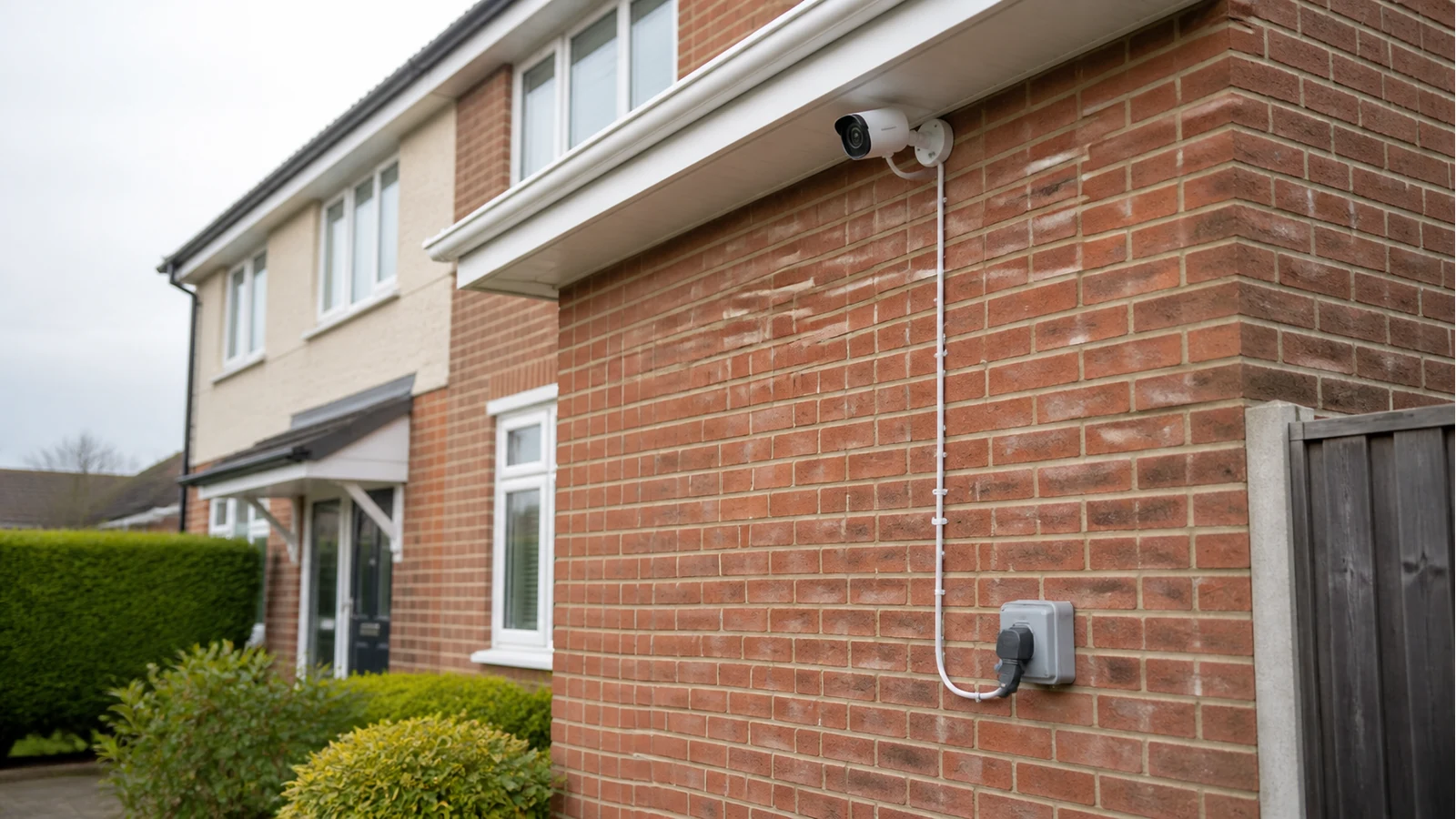
Direct answer: most wireless CCTV kits are wireless for the video signal, not cordless at the camera. Before you order or drill, treat every camera position as a power job: find the nearest safe supply, test the camera view temporarily, then decide whether the permanent route is a DIY mount or an electrician job.
This matters most around UK eaves, side returns, detached garages and sheds. A camera can have a clear wireless path back to the recorder and still be unusable if the power lead cannot safely reach it. General UK CCTV guidance from NightHawk CCTV makes the same distinction: wireless usually removes the video cable, not the need for power.
Start With A Power Map, Not A Shopping Basket
Walk the property and mark the camera jobs before choosing final mounting points. Put one mark for the porch or package area, one for the driveway or side return, and one for the rear door or garden route. If you are still deciding the coverage order, use a simple layout plan such as front, side and rear camera planning before measuring power.
For each mark, write down the nearest socket, whether it is indoors or outdoors, whether a lead would cross a doorway, window, gutter, drainpipe or walking route, and whether the camera could be tested before drilling. If the only answer is a long indoor extension lead through a window, pause. That is a temporary experiment at best, not a permanent outdoor installation plan.
Checklist: Before You Drill
- Confirm the kit's power accessories on the live product page. Do not assume plug type, cable length or extension compatibility from a generic photo. For this campaign, the safe next step is to check the current Hiseeu kit detail page before ordering.
- Look for a proper outdoor supply. NICEIC advises that outdoor socket-outlets should be RCD protected and warns householders about relying on long extension leads outdoors; see NICEIC garden electrics guidance.
- Keep temporary tests temporary. A short daytime and night-time test can tell you whether the angle, glare and wireless path are workable. It should not become a cable left through a window for months.
- Protect the cable route. Avoid pinch points, standing water, sharp brick edges, trip routes, and exposed joints where rain can collect.
- Know when it becomes electrical work. Outdoor circuits and new permanent supplies may need a competent electrician. ElectraSim's UK outdoor socket explainer notes Part P and 30 mA RCD expectations for this type of work; read ElectraSim outdoor socket guidance as a starting point, then use a qualified professional where needed.
Stop Conditions
Do not buy yet if the most important camera has no safe power route, if you need a new outdoor socket before it can be mounted, or if the only planned route depends on an indoor extension lead outdoors. Those are not small setup details; they decide whether the system can be installed safely and maintained without daily annoyance.
What To Do Next
If your map shows safe power at the main camera points, choose the camera kit after checking the current product accessories and return terms. If the power map fails, solve the outdoor supply first. A clean installation starts with fewer assumptions, not more cameras.
Sources
- NightHawk CCTV - UK buyer guidance states wireless CCTV often still needs power unless battery-powered; wireless mainly removes the video cable back to the recorder.
- NICEIC - NICEIC advises outdoor socket-outlets should be RCD-protected and warns against relying on long extension leads for mains equipment outdoors.
- ElectraSim - UK outdoor socket guidance treats new outdoor circuits as notifiable under Part P and expects 30 mA RCD protection plus weather-resistant fittings.